Import your music
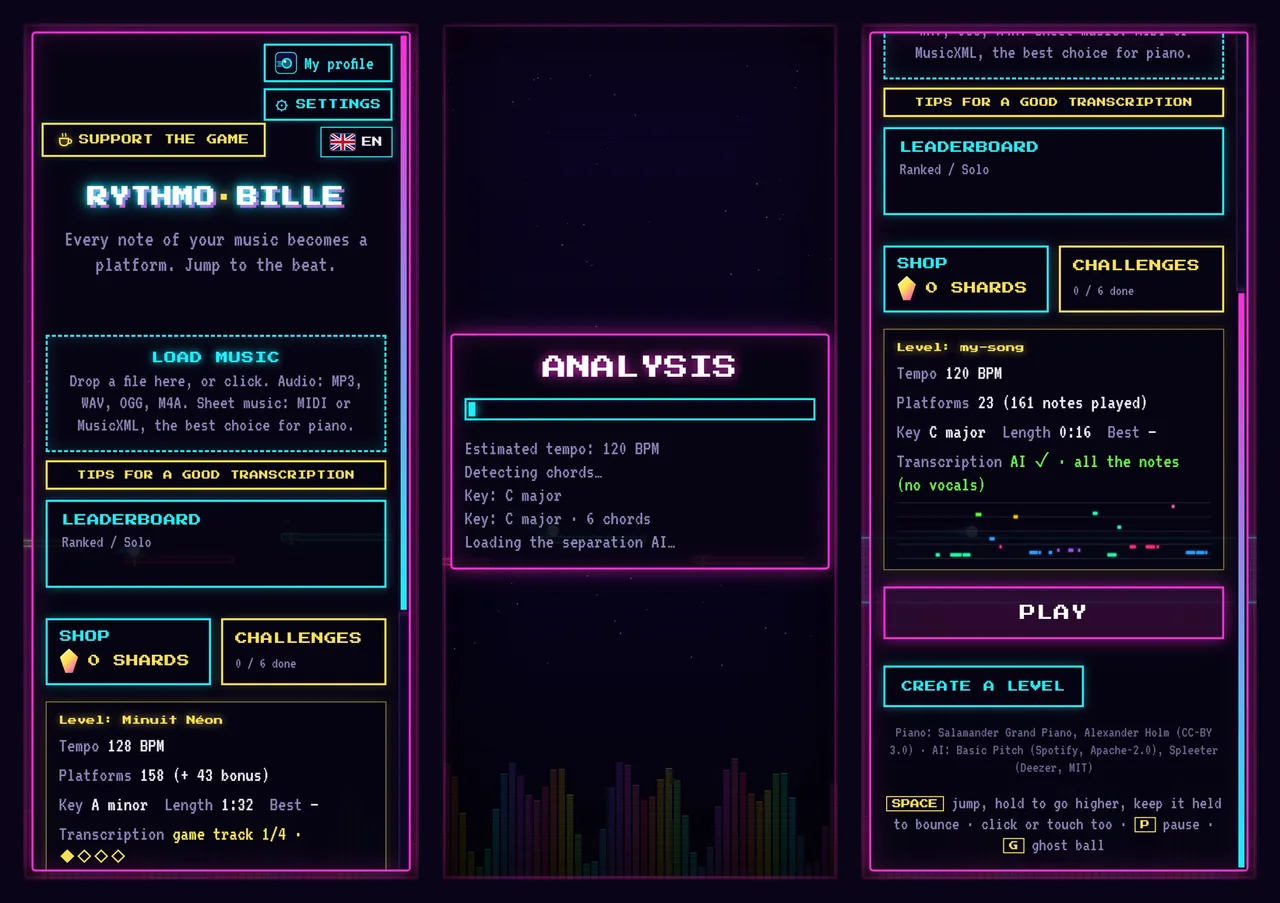
This is the heart of Rythmo Bille: you pick a song, and the game turns it into a playable level, with a platform for every note of the melody.
Supported formats
- Audio: MP3, WAV, OGG, M4A and FLAC. The AI listens to the song and transcribes the notes.
- Sheet music: MIDI (
.mid, exported for example from MuseScore or FL Studio) and MusicXML (.musicxml,.xml,.mxl). Notes are read exactly as written, with no transcription errors: the best choice for a piano piece.
To import, drop the file onto the "Load music" area of the menu, or click it to pick a file.
What the AI does
For an audio file, the analysis runs in several steps, shown on screen:
- Tempo and key are estimated, then the song's chords are detected.
- Separation: an AI (Spleeter, by Deezer) separates the vocals from the instruments.
- Transcription: a second AI (Basic Pitch, by Spotify) listens to each part and writes down its notes.
- Building the level: notes become platforms, notes that are too close together become bonus notes, and the chords feed the accompaniment.
The analysis takes from a few seconds to two or three minutes, depending on the length of the song and the power of your device. You can switch tabs in the meantime.
What the platforms follow
When you import music, the game asks what the platforms should follow: the full song (the vocals, and the instruments when nobody sings: intro, bridge, ending; the recommended choice), the vocals only, or the instruments without the vocals. Without vocals, they follow every note of the song.
On phones, vocal separation is very demanding. In automatic mode the game skips it to stay fast; you can force it in the settings for a more accurate melody.
MIDI options
When you import a MIDI or MusicXML file, a window lets you choose:
- the tracks to play (the right hand usually carries the melody);
- which note becomes the platform when several sound together: the highest (the melody), the closest to the previous one (a smooth line) or the lowest (the bass);
- chords: stacked bonus notes to collect, or the whole chord played by the platform;
- the gap between platforms: nearly every note, one platform every two beats, or one per bar for a calm level.
Tips for a good transcription
- For piano or a solo instrument, prefer sheet music (MIDI, MusicXML) to a recording.
- A single instrument playing the melody gives a more faithful level than a full band where everything blends.
- A clean sound, without too much reverb or effects, transcribes better. WAV or FLAC is slightly better than a heavily compressed MP3.
- A song with a steady tempo gives platforms that sit better on the beat.
- If you have the isolated vocals of a song (an "a cappella" track), the result is even cleaner.
Fixing the result
No automatic transcription is perfect. Your level and your music are kept under "Levels", in the "My levels" tab: the "Edit" button opens it in the editor so you can fix a note, move a platform or add bonus notes.
A score with several instruments
If your score contains several instruments, tick Multi-instrument before creating the level: each note keeps its instrument, including for other players if you publish the level. Without this box, the level can never be played with multiple instruments.
Ticking the box forces nothing on anyone: each player turns Multi-instrument on or off in their own settings. If they are missing one of the level's instruments, the game shows them which ones to install.
Where to find MIDI or MusicXML files: the full tutorial with pictures.